Once this is on, your eligible activities count in Harry's automatically. No screenshots or links.
Harry's reads runs, rides, swims, workouts and calories from Apple Health. Not every challenge uses this data; each challenge in the app shows what it tracks.
-
Open COROS
Open the COROS app on your phone.
-
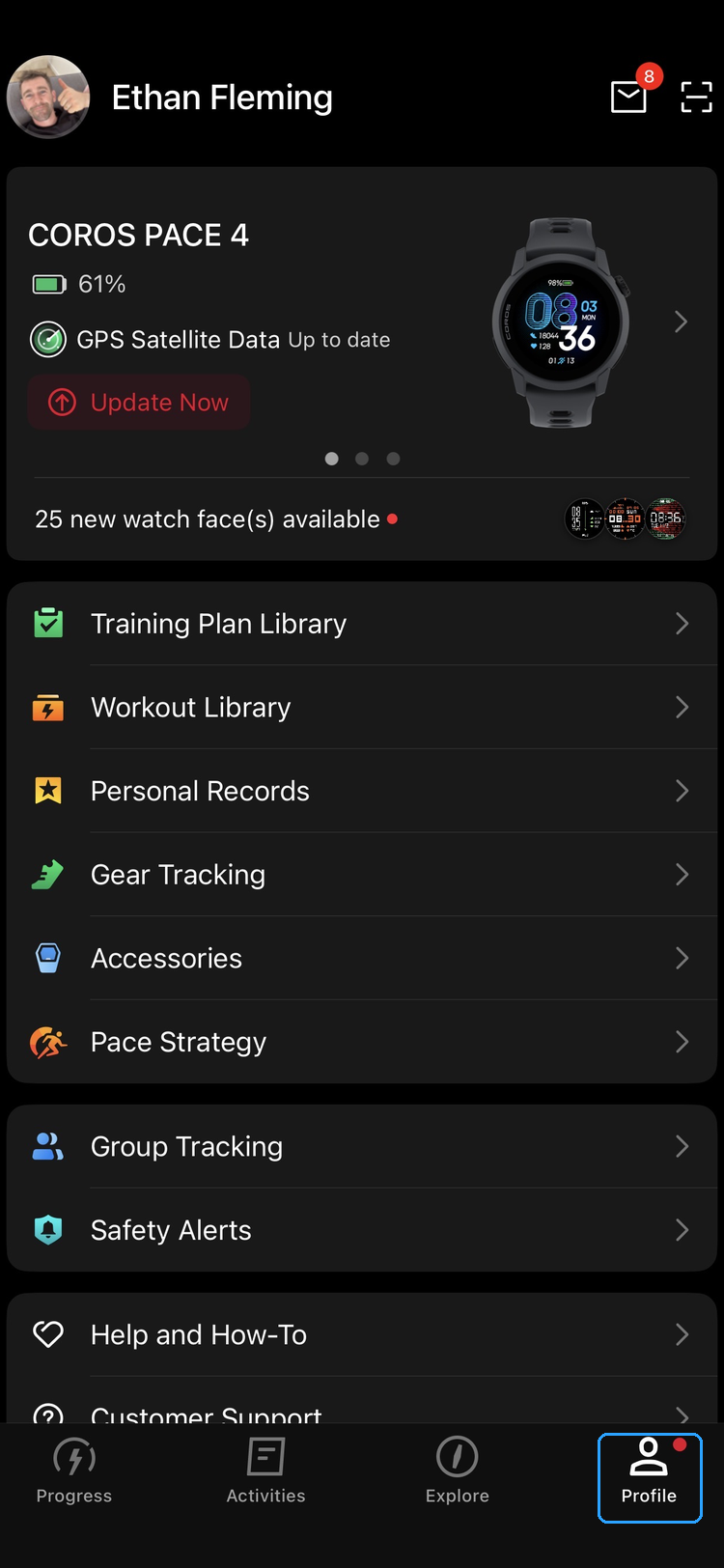
Tap Profile
Tap Profile in the bottom-right corner.
-
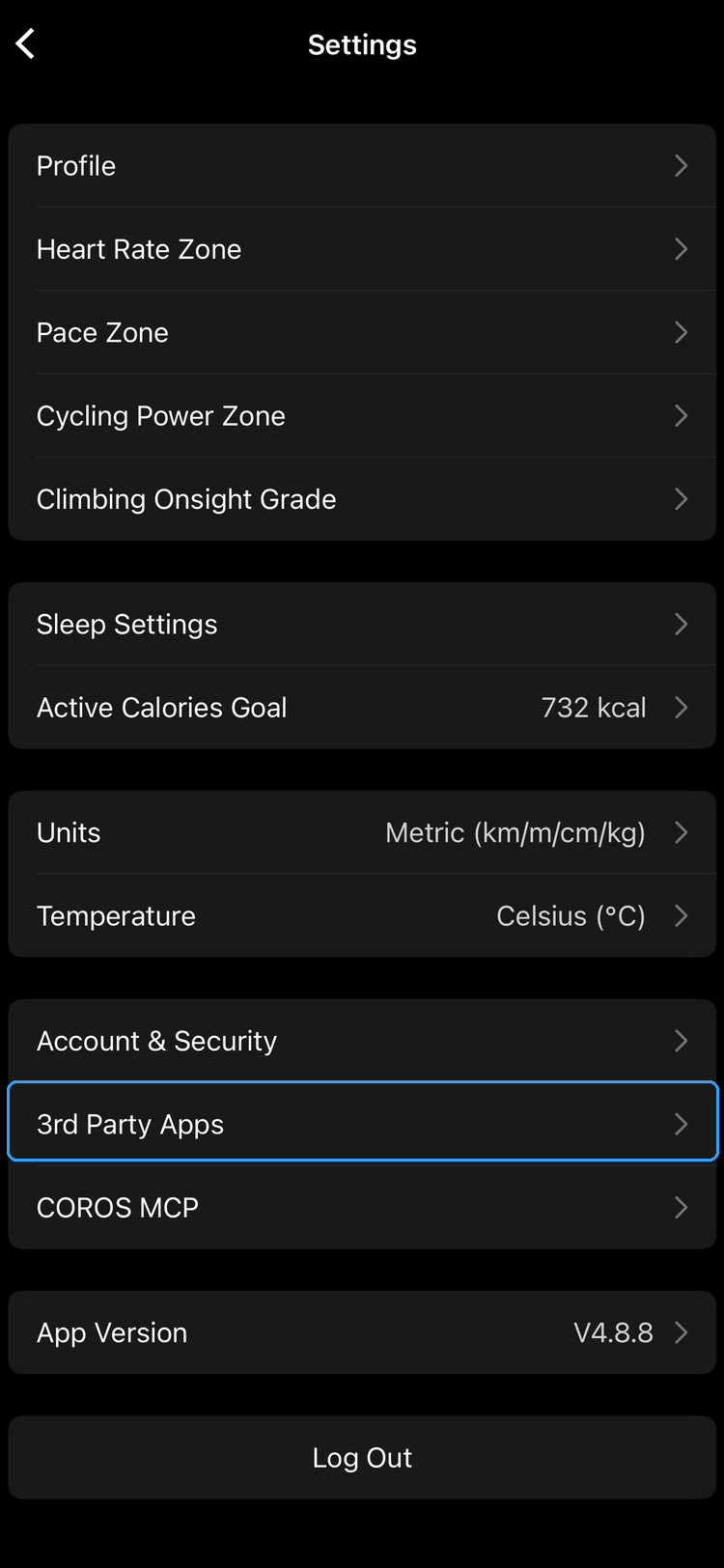
Go to 3rd Party Apps
Scroll down and tap Settings, then 3rd Party Apps.
-
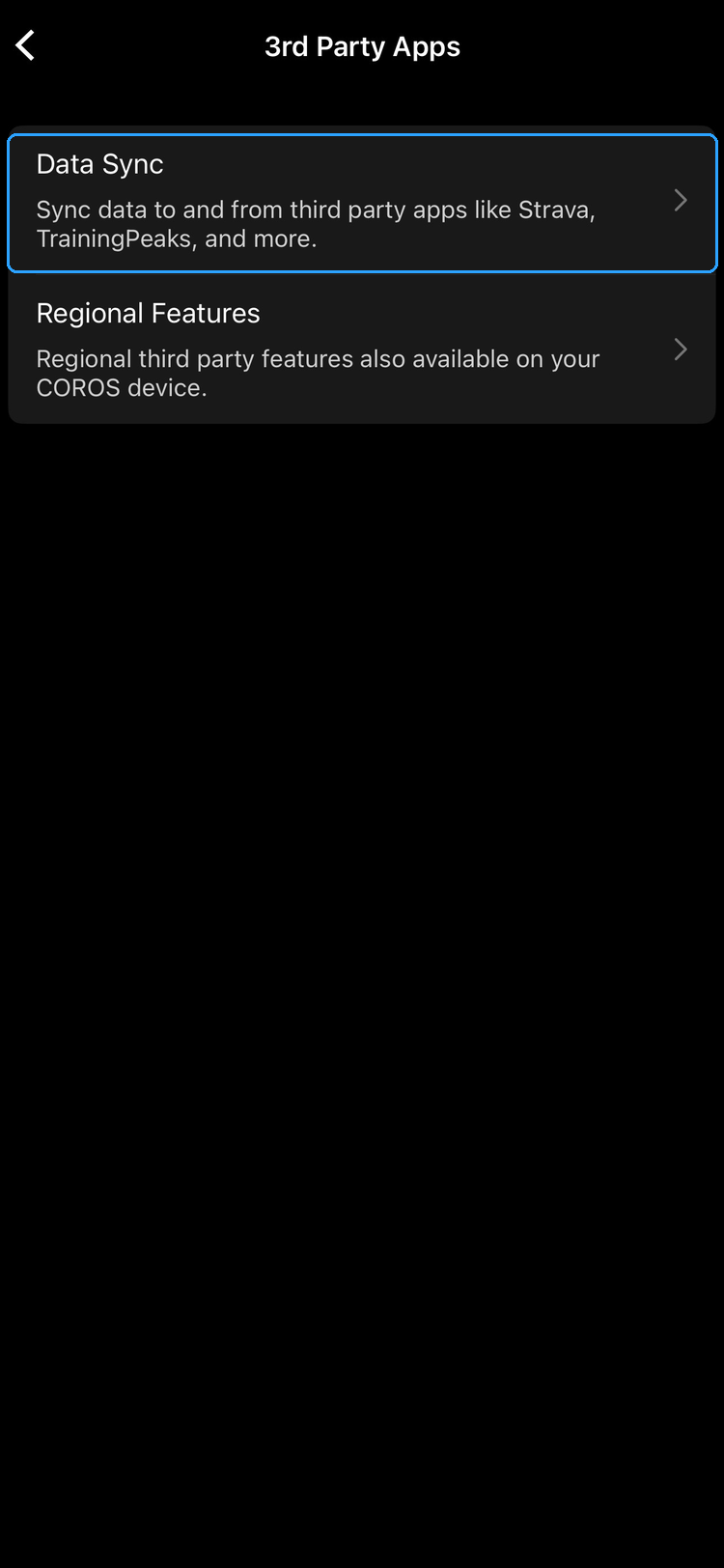
Tap Data Sync
Tap Data Sync.
-
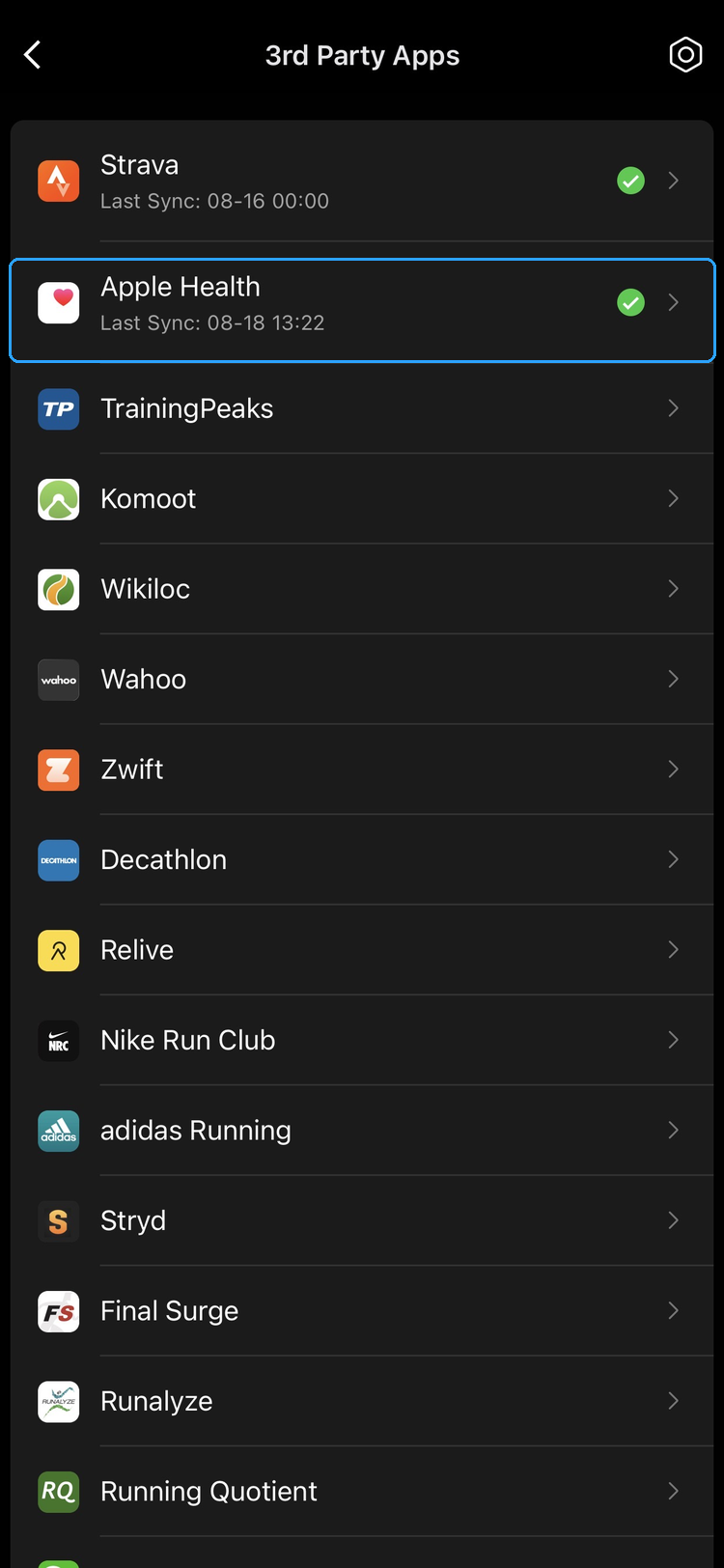
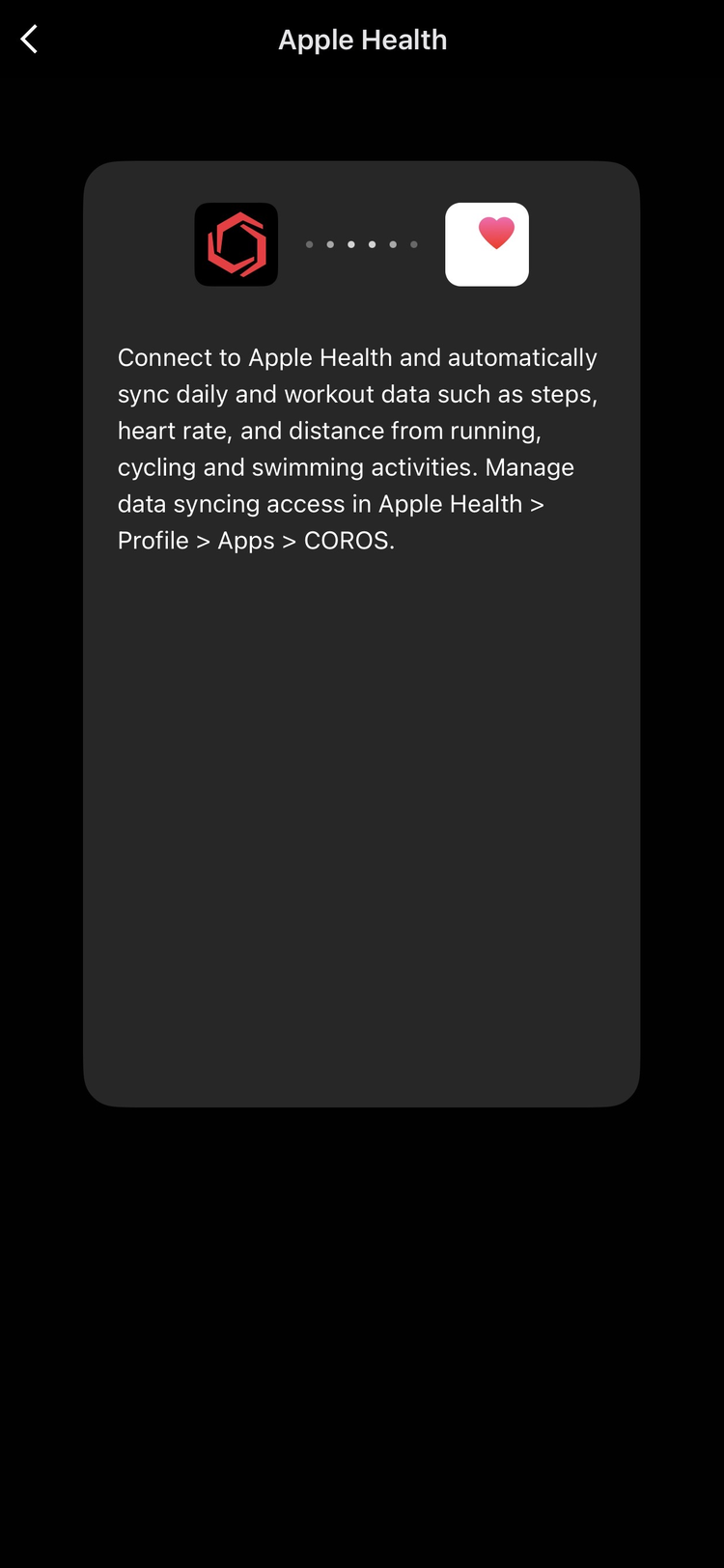
Select Apple Health
Tap Apple Health in the list of apps.
-
Connect and allow access
Tap Connect and allow access on the permission screen. Once connected, Apple Health shows a green tick and a last sync time back in the list.
If it's not working
- Sync is one way. COROS writes to Apple Health; nothing flows back into COROS.
- Only new activities sync. Workouts recorded before you connected are not backfilled.
- Check permissions later: iPhone Settings > Health > Data Access & Devices > COROS.
Done? Back in Harry's, open Settings > Data & Syncing. The Last sync time updates within a few minutes of your next activity.
Guide version v1 · Last verified 18 August 2026